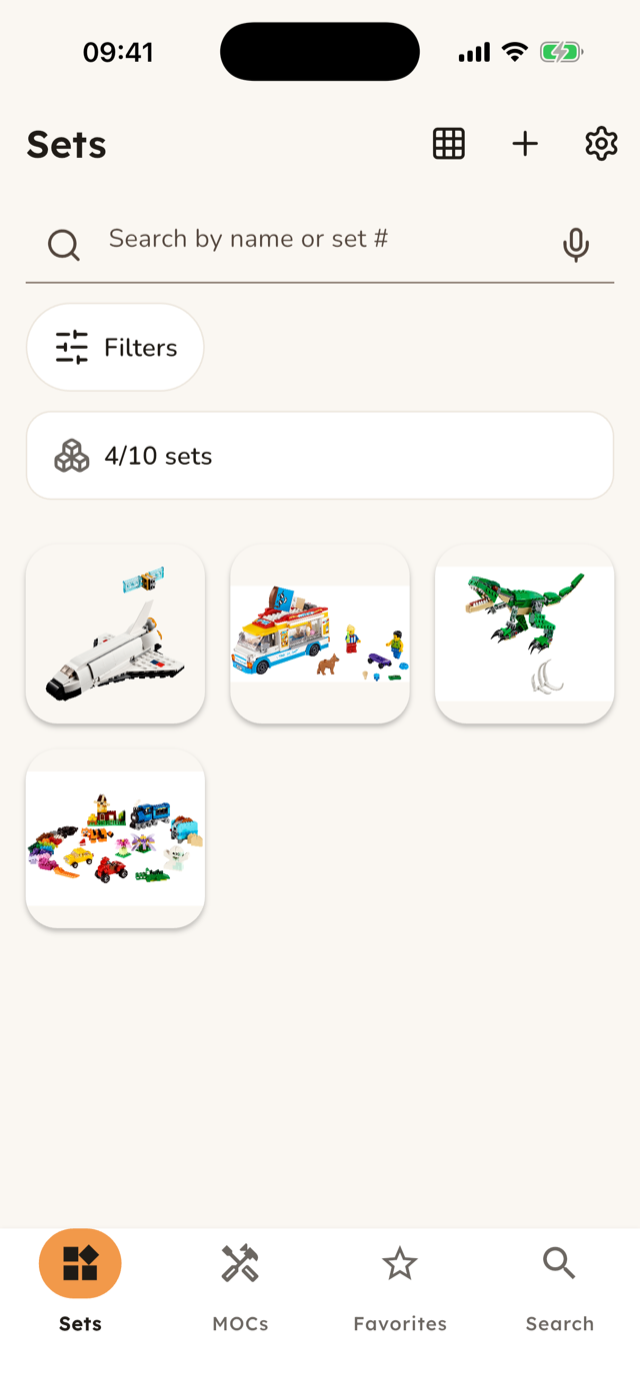
Parent-managed LEGO collection browsing
WhichBrick
Know what you can build next. WhichBrick helps families turn a bin of bricks into sets, parts, favorites, and build ideas kids can actually use.
Launch preview note: the final App Store link will replace this coming-soon button when the listing is live.
Your collection at a glance
Sets, parts, MOCs, and favorites in one calm place.
WhichBrick keeps the browsing surface simple: big images, simple tabs, and quick favorites for the things your family comes back to most.
Find what can be built
Move from "do we have it?" to "let's build it."
Browse owned sets, compare parts, and keep build ideas close so a sorting session can turn into a real project.
Made for a family setup
A parent-managed account with kid-friendly browsing.
A parent or guardian signs in with Apple or Google. The browsing experience stays picture-forward and easy to tap, with no in-app ads and no behavioral tracking in the launch version.
Cloud sync and subscription
Start small, then unlock the full collection.
The free tier keeps up to 3 unique sets accessible. A subscription unlocks unlimited sets and cloud sync so the family's saved collection can follow the parent account across devices.
- Free tier: 3 unique sets for trying the app with a real collection.
- Subscription: unlimited sets and cloud sync for the parent-managed account.
- Purchases and subscription management run through Apple. Restore purchases is available in the app.
Privacy-light by default